Pixel Solids
A downloadable tool for Windows, macOS, and Linux
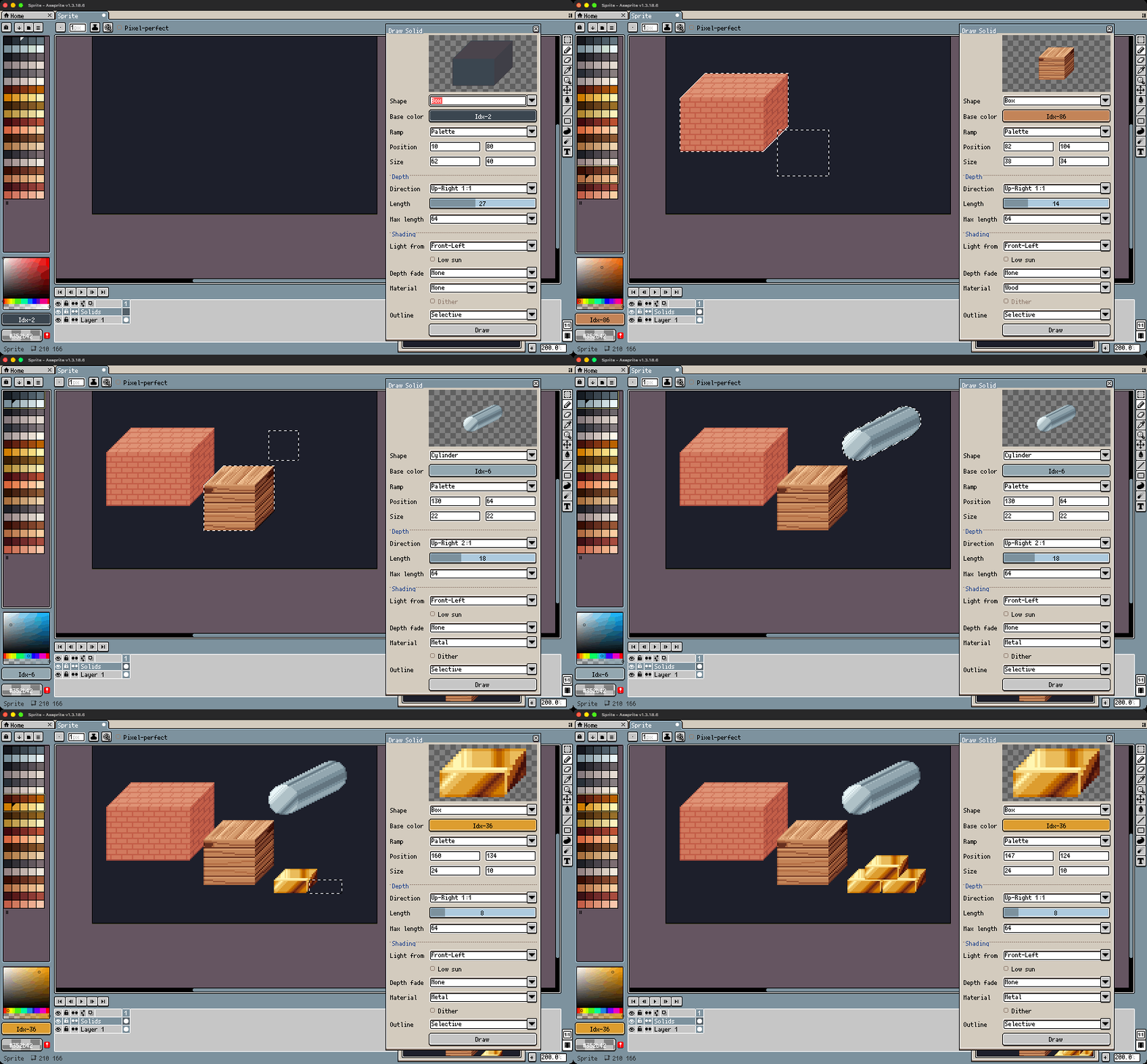
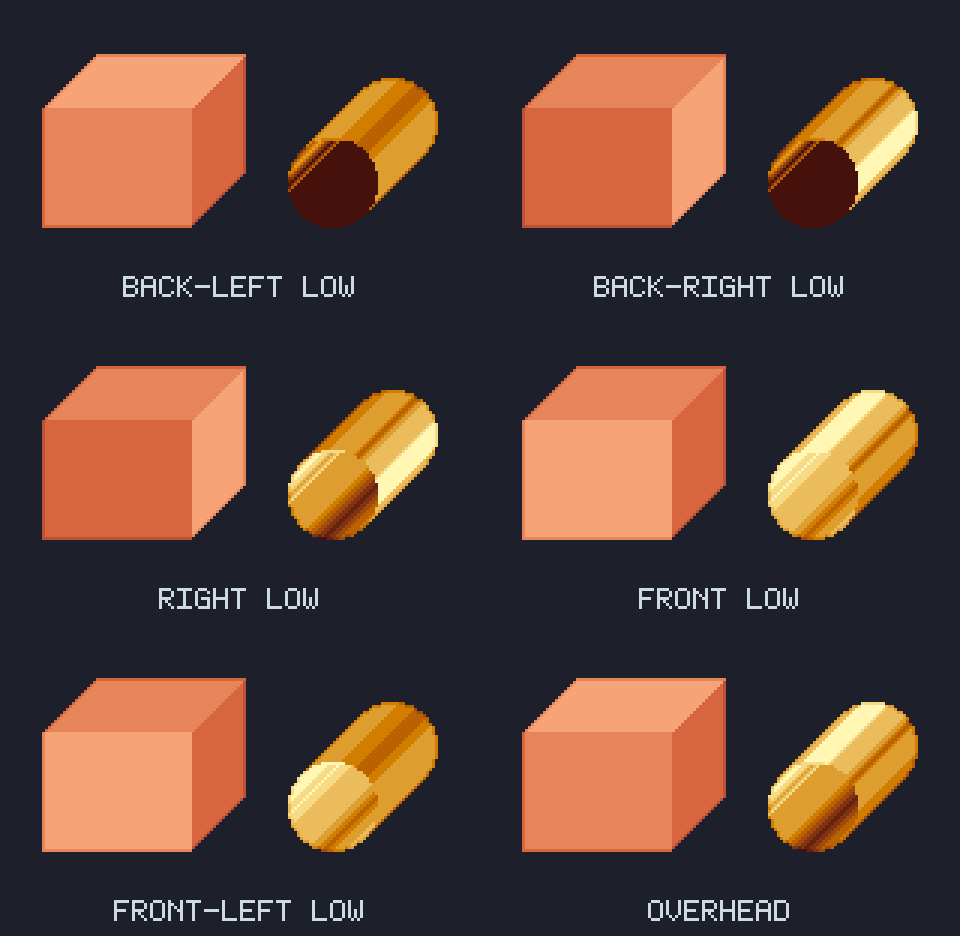
Select an area, press Draw. Pixel Solids adds a panel to Aseprite that draws boxes and cylinders with depth running off at an angle, shaded with the colours of your own palette according to where the light comes from.
Features
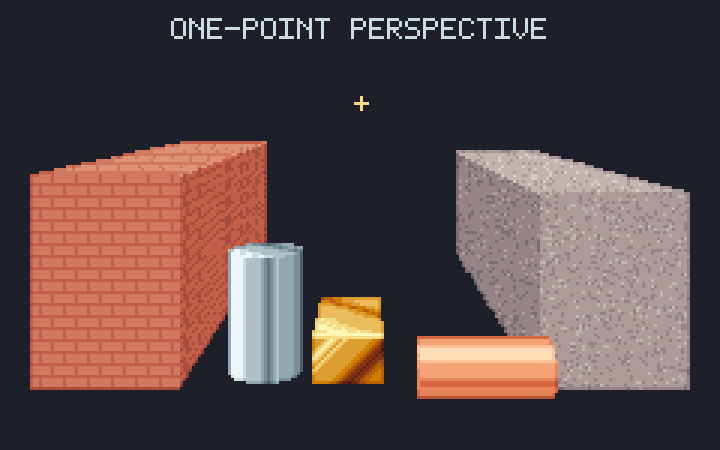
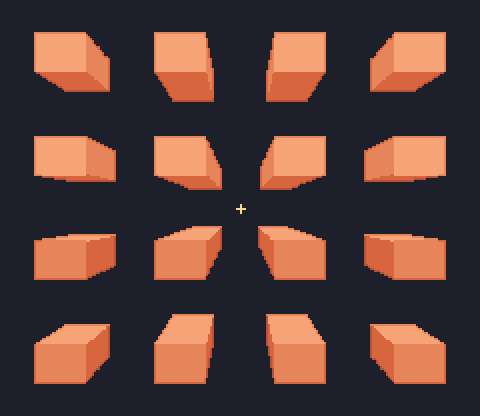
- Boxes and cylinders, lying along the depth or across, or standing upright, with 16 depth directions: straight, 1:1 and the clean 2:1 / 1:2 pixel-art slopes. Or in one-point perspective: click a vanishing point on the canvas and every solid recedes toward it.
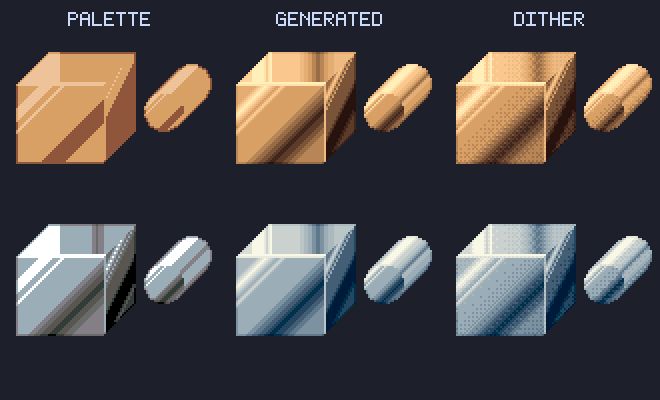
- Shaded from your palette. It finds the base colour's ramp in your palette, uses the colours you select in the palette bar, or (in RGB and Grayscale sprites, with Generated) a 13-step hue-shifted ramp of its own.
- Nine light directions, plus a low sun for long, side-lit shading.
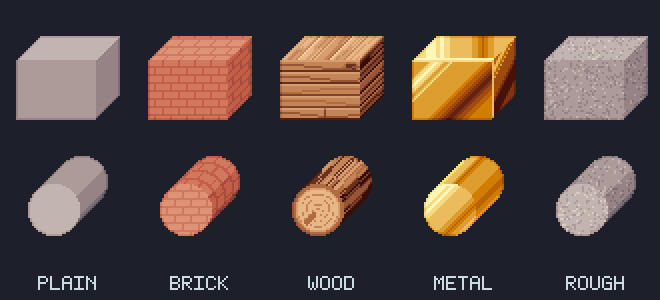
- Materials: brick, wood, rough stone and metal. Metal has soft glints and a dark reflection that get smoother the longer your ramp is, with an optional ordered dither.
- Depth fade (bands or dither) and outlines (solid, or selective: one shade darker than each face).
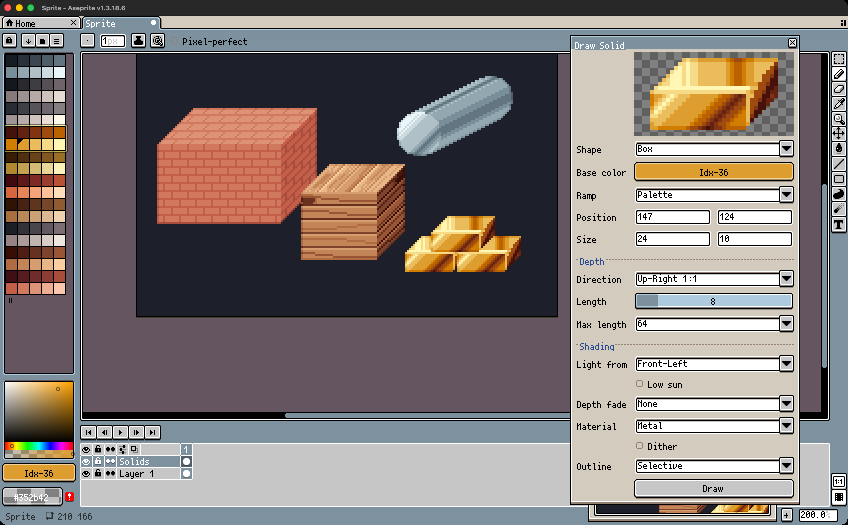
- Live preview in a panel that stays open. It follows your selection and foreground colour, so you can keep selecting and drawing. Meanwhile, you can still zoom, scroll and paint. Each Draw is one undo step, and the panel remembers its settings.
- Works in RGB, Grayscale and Indexed sprites.
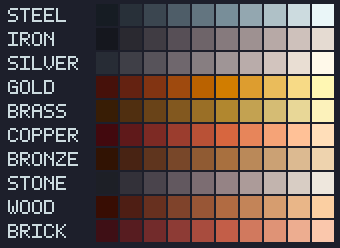
- Bonus palette, "Pixel Solids Materials": ten 10-colour ramps (steel, iron, silver, gold, brass, copper, bronze, stone, wood, brick), one per row.
How to use
- Install the extension (see Install below) and open a sprite.
- Choose Edit > FX > Draw Solid...
- Select an area with the marquee: the front face follows it.
- Pick a shape, direction, light and material; the preview updates as you go.
- Press Draw. The solid is left selected, so the move tool moves all of it. Select another area and draw again.
Tip: for the smoothest metal, shift-click a whole ramp in the palette bar (try a row of the bonus palette), or set Ramp to Generated in an RGB sprite.
Install
Double-click pixel-solids-1.0.0.aseprite-extension, or in Aseprite choose Edit > Preferences > Extensions > Add Extension and pick the file. The bonus palette appears in Aseprite's palette list.
Requirements
Aseprite v1.3 or later (tested with 1.3.18).
Limitations
- Draws on image layers only (not tilemap layers).
- In Indexed sprites, ramps come from the palette only (no generated ramp), and Draw is disabled while the base colour is the transparent index.
- The preview shows the solid on its own, not over your other layers.
- Picking the vanishing point on the canvas needs a recent Aseprite 1.3 release; on older ones, type its position in the panel.
What's included
pixel-solids-1.0.0.aseprite-extension: the extension, its license and the bonus palette.pixel-solids-1.0.0-extras.zip: the palette as a.gplfile, an example.asepritescene with each prop on its own layer, and the license.
License
One purchase per person. Anything you draw with Pixel Solids is yours to use in personal and commercial projects. Please don't share or resell the extension itself. Full terms in LICENSE.txt.
Aseprite is a trademark of Igara Studio S.A. Pixel Solids is an independent extension, not made or endorsed by Igara Studio.
Support
Questions and bug reports are welcome at henoc@duck.com, or in the comments below.
Purchase
In order to download this tool you must purchase it at or above the minimum price of $4.99 USD. You will get access to the following files:
Leave a comment
Log in with itch.io to leave a comment.